How to Check Your Android Car System Version Before Upgrading

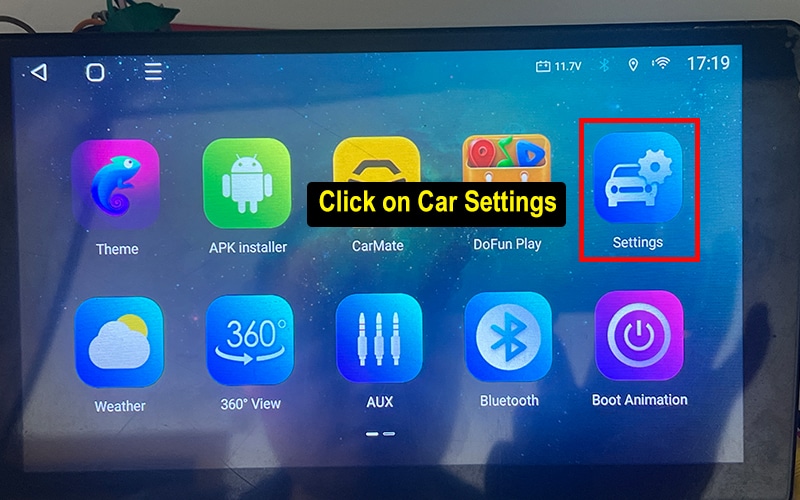
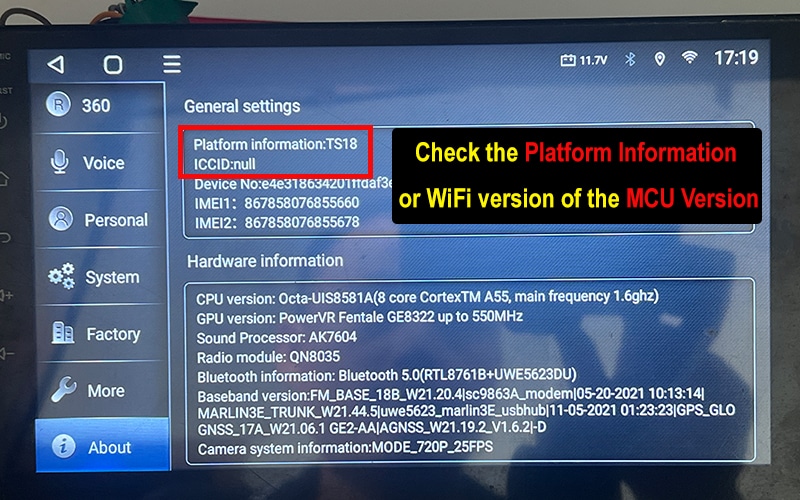
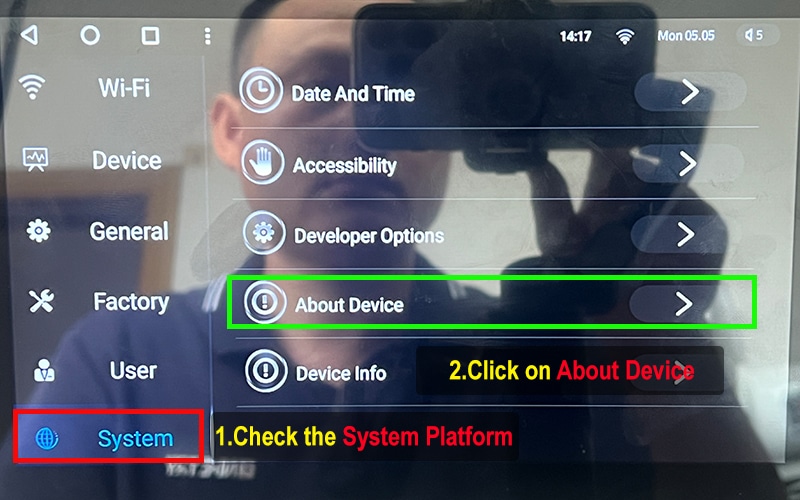
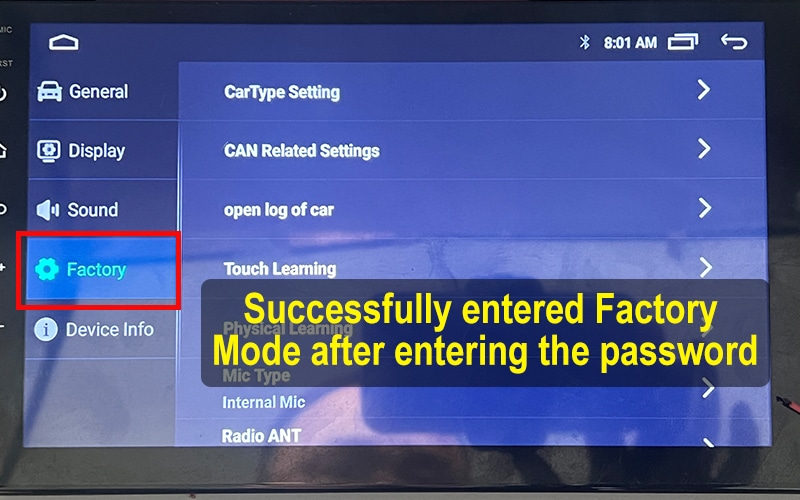
There are three common ways to identify your head unit’s model and version: ① rear label on the device, ② text printed on the motherboard, and ③ checking the system
Car Navigation System Upgrade

There are three common ways to identify your head unit's model and version: ① rear label on the device, ② text printed on the motherboard, і ③ checking the system info in settings. This guide will walk you through all major brands like Topway, XY-AUTO, FYT, NWD, HC-MTK step by step.

Before purchasing any firmware, UI themes, or voice control features, make sure you know your Android version, Версія MCU, і Сумісна лінійка продуктів. Використовуйте логотипи нижче, щоб перейти до спеціального посібника для кожного бренду.

Topway Logo

Topway Motherboard (Factory password: 123456)
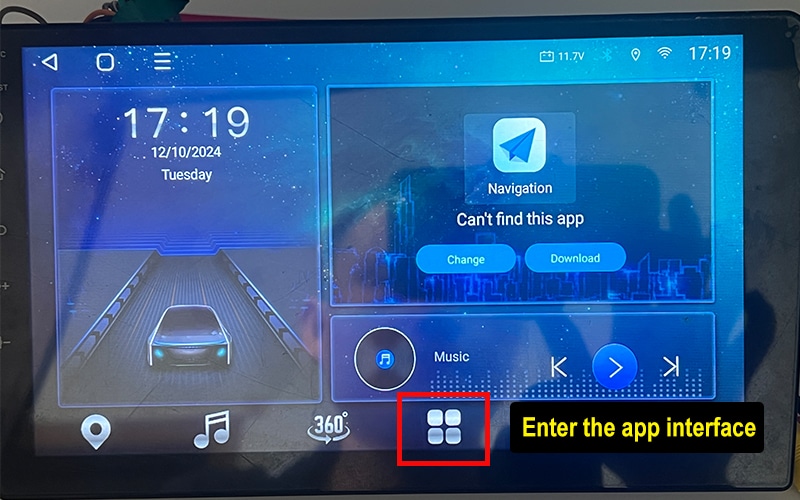
▶ System Info Path: Settings → About → System Info
▶ Factory Setting: Settings → Factory → Enter Password
✨ Version Example: TSXX/TX 0.X.0-XX-10-AXXXXXXX
FYT Logo

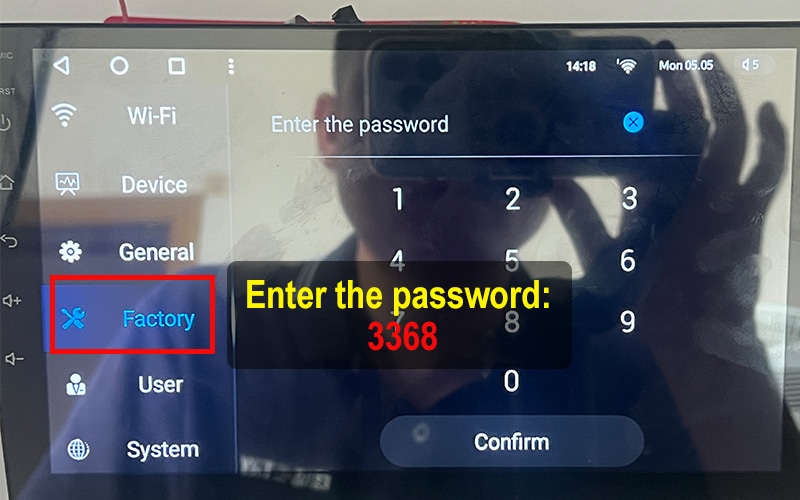
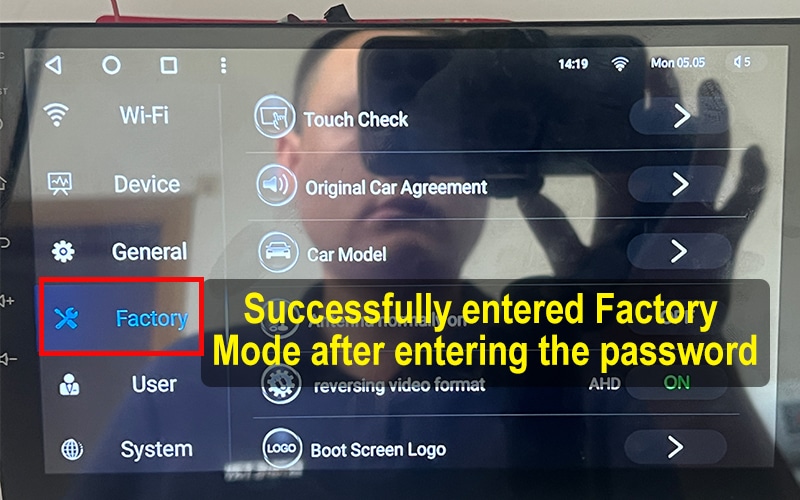
FYT Motherboard (Factory password: 3368)
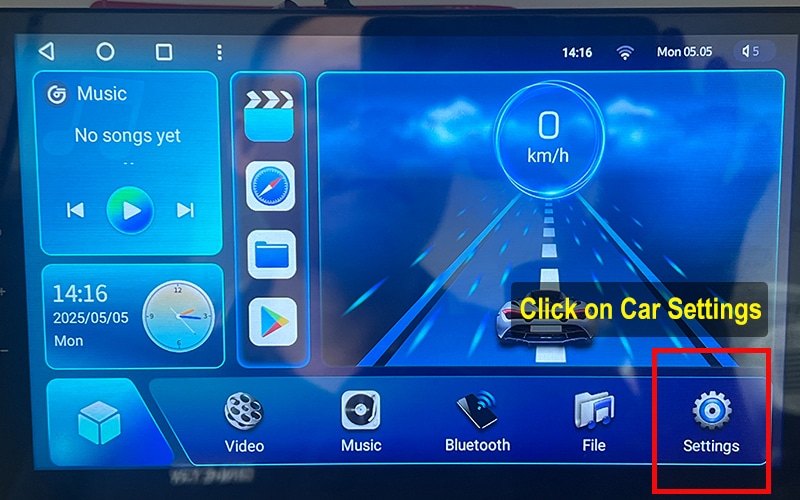
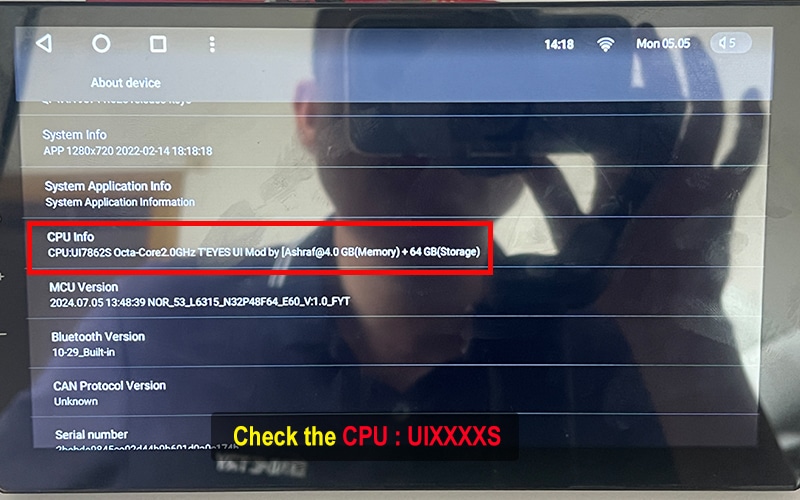
▶ System Info Path: Settings → System → About Device → CPU Version
▶ Factory Setting: Settings → Factory → Enter Password
✨ Version Example: UIXXXXS Octa-Core
NWD Logo

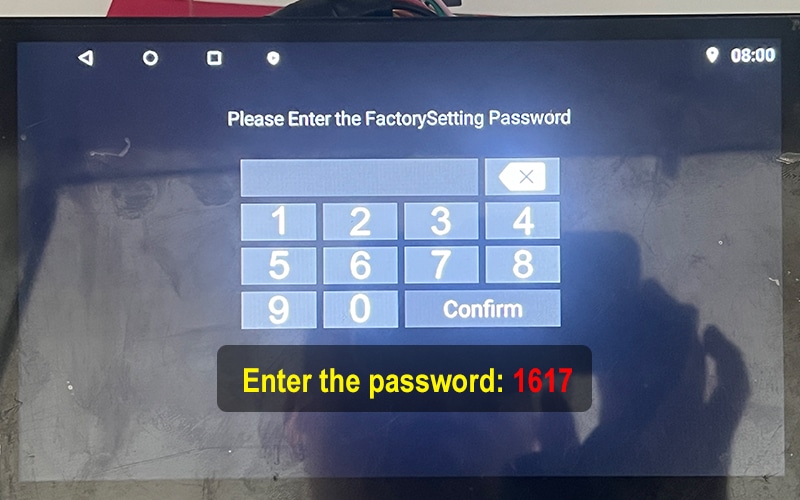
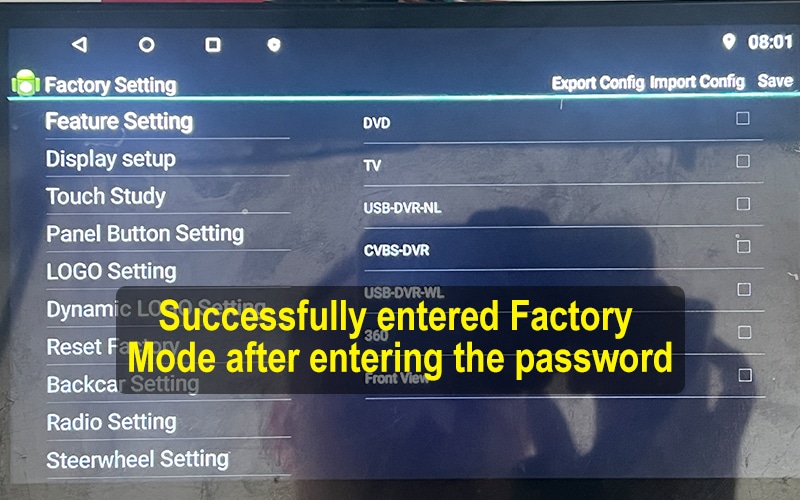
NWD Motherboard (Factory password: 1617)
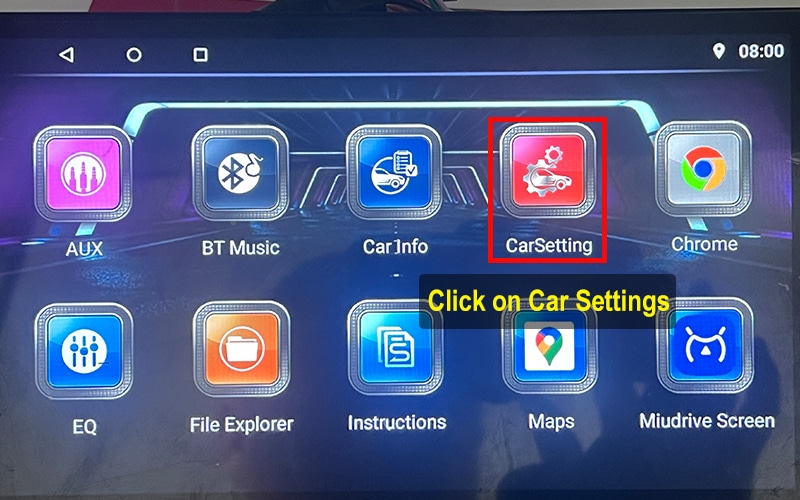
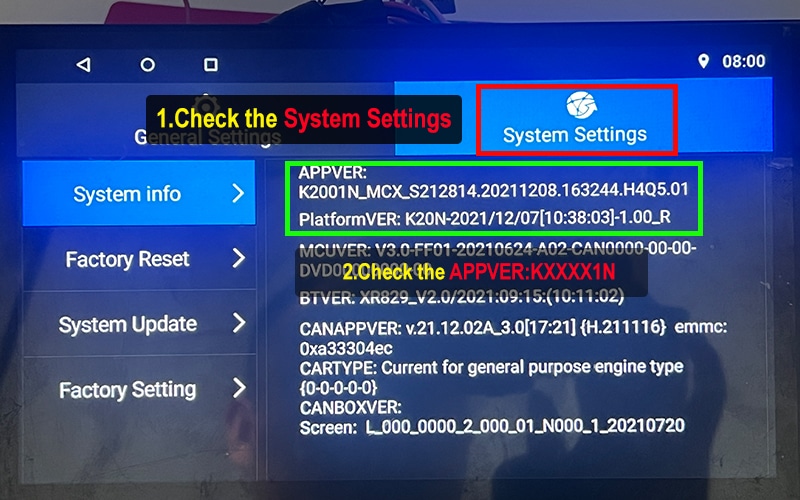
▶ System Info Path: Settings → System Setting → AppVer
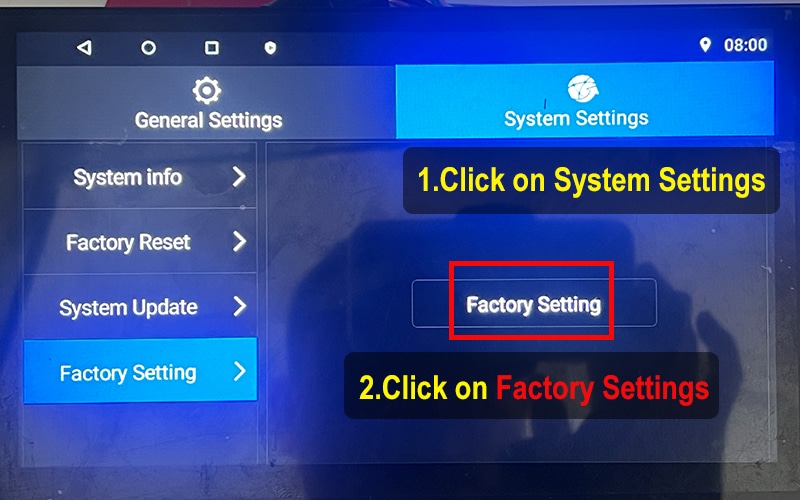
▶ Factory Setting: System Setting → Factory Setting → Enter Password
✨ Version Example: KXXXN
XY-AUTO Logo

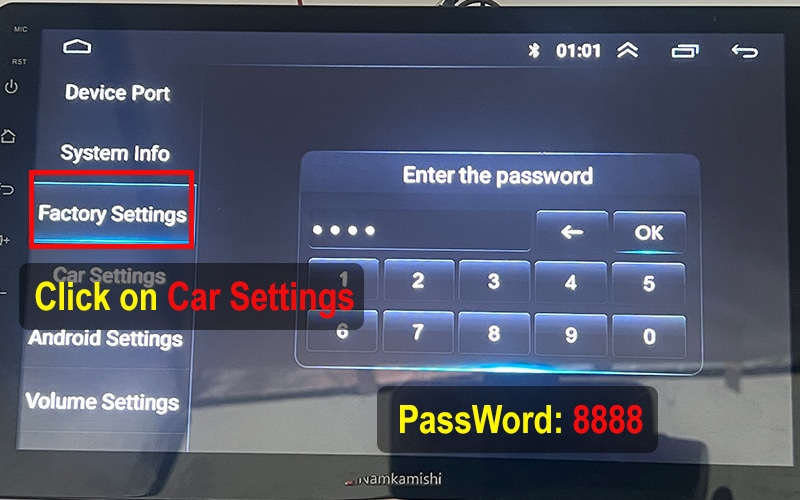
XY-AUTO Motherboard (Factory password: 8888)
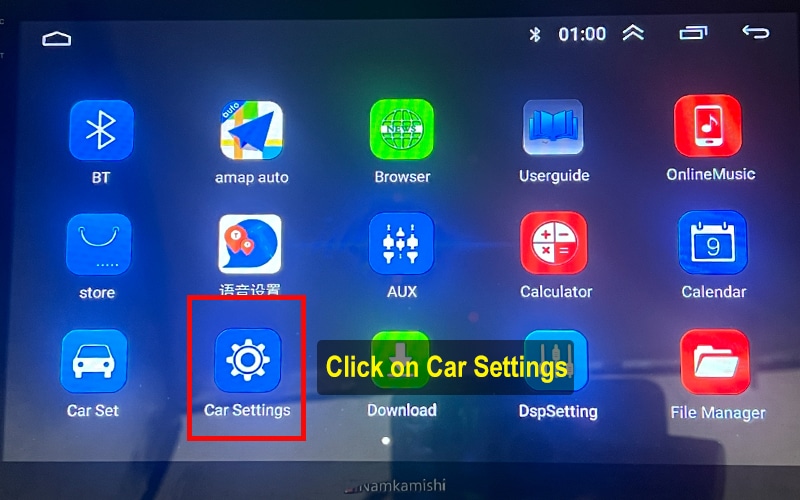
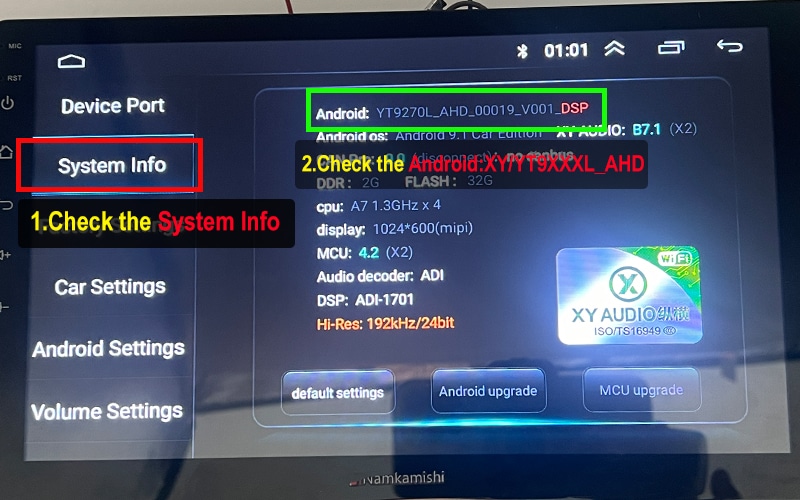
▶ System Info Path: Settings → System Info → Android Version
▶ Factory Setting: Settings → Factory → Enter Password
✨ Version Example: 9XXXA/B/C_XXXX.XX_XXXX
HC/MTK Logo

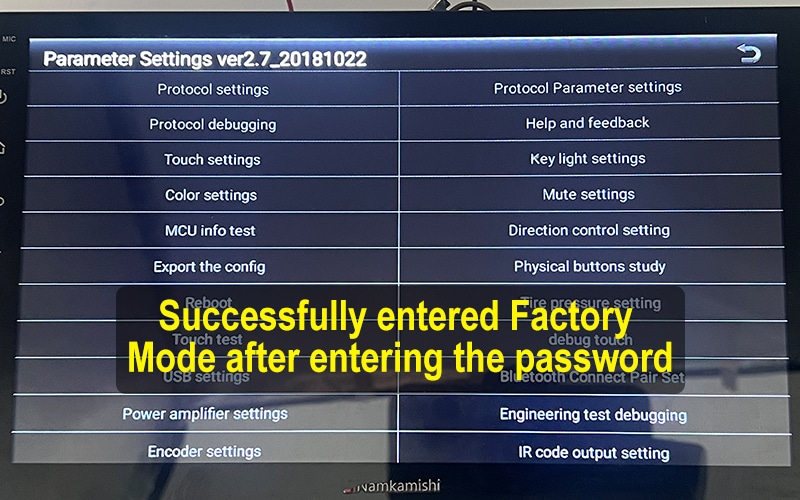
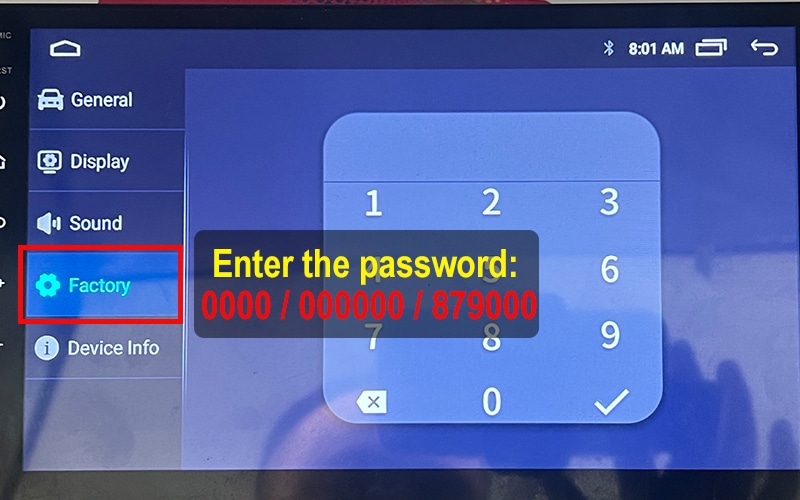
HC / MTK Motherboard (Factory password: 0000 / 000000 / 879000)

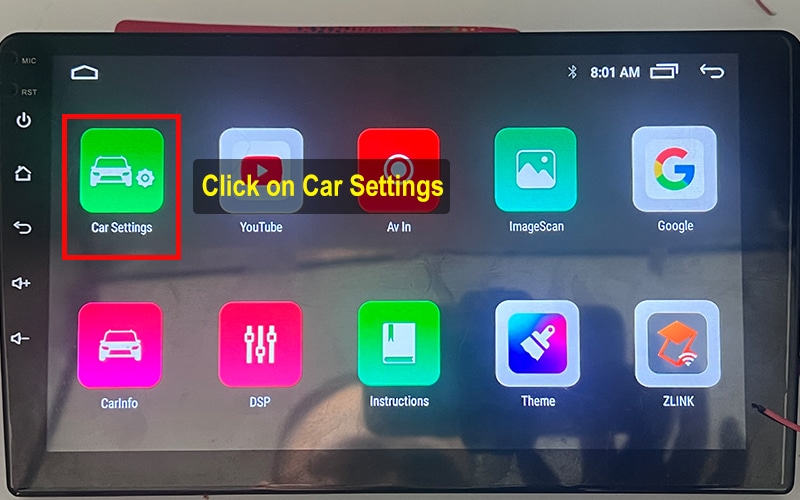
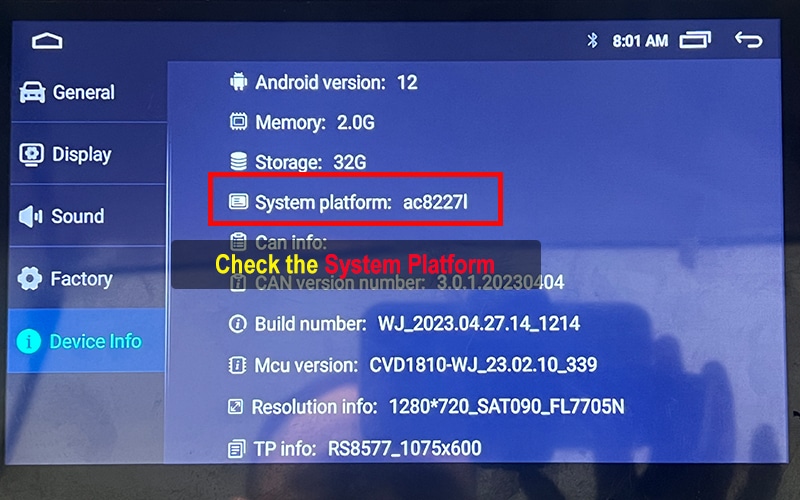
▶ System Info Path: Settings → About Device → Android
▶ Factory Setting: Settings → Factory → Enter Password
✨ Version Example: AC8XXXL / AC8XXX

More Tips for Android Car System Users

Whether you're using a Topway TS7, XY-AUTO 9216, FYT 7862, or any other Android-based car head unit, knowing your system version is the first step towards unlocking advanced upgrades like UI launcher themes, voice control apps, or 360-view car model activation.

FixMyDash offers firmware repair, activation of feature, and system upgrade services for a wide range of Android head units. Common motherboard models include TS10, TS18, TS7, T133, A100, 9212, 7862S, 8581, 9863, K2001N, and AC8227L.

By following our step-by-step tutorials, you can safely check Версія MCU, enter factory settings, and determine if your device is compatible with upgrades like Car Launcher Pro or Doufun Voice Assistant.

Need help with your Android car system upgrade? Contact us at FixMyDash — the remote upgrade and activation specialist for car Android UI systems.

×
$5.0 Експертна діагностика
Миттєва допомога для екрану Android вашого автомобіля
Експертна діагностика
  • Професійний аналіз 1 на 1
  • Швидка відповідь протягом 24 годин
  • 100% відшкодування у разі оновлення або ремонту
Оплатіть $5.0 зараз і почніть діагностику
Неповоротна, але повна вартість ремонту буде вирахувана з $5.0

2 коментарі до “How to Check Your Android Car System Version Before Upgrading”

Залишити коментар

Кошик