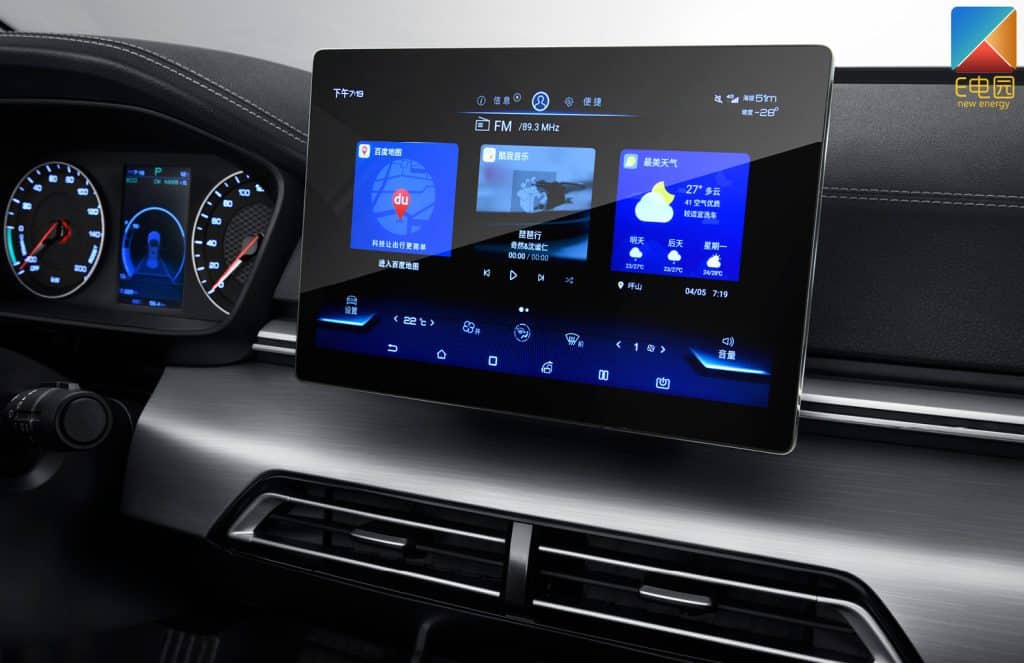
There are three common ways to identify your head unit's model and version: ① rear label on the device, ② text printed on the motherboard, і ③ checking the system info in settings. This guide will walk you through all major brands like Topway, XY-AUTO, FYT, NWD, HC-MTK step by step.
Before purchasing any firmware, UI themes, or voice control features, make sure you know your Android version, Версія MCU, і Сумісна лінійка продуктів. Використовуйте логотипи нижче, щоб перейти до спеціального посібника для кожного бренду.
Не впевнені, яку систему використовує ваш автомобіль? Скористайтеся цим посібником, щоб швидко знайти вашу модель і розблокувати сумісні оновлення, як-от голосове керування, теми інтерфейсу та функціональні додатки.

Topway Motherboard (Factory password: 123456)
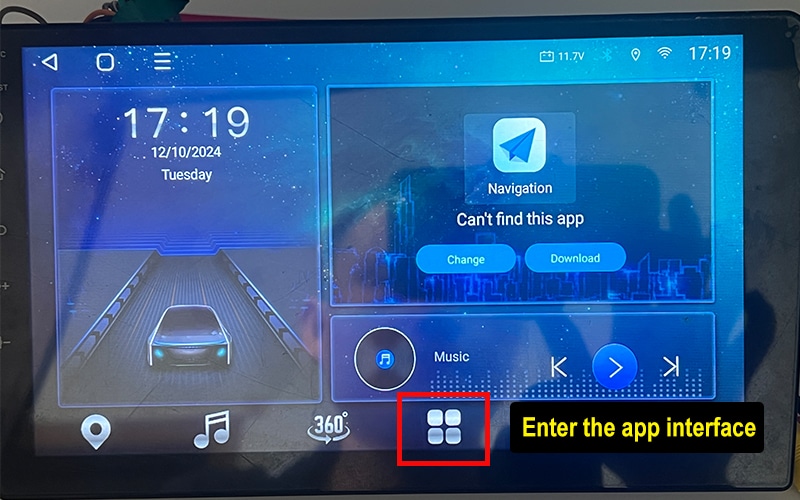
System Info Tutorial
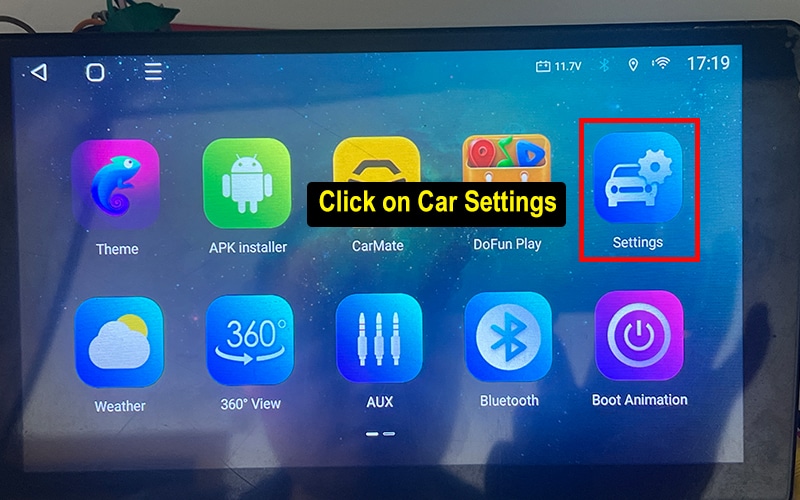
- Enter the app screen.
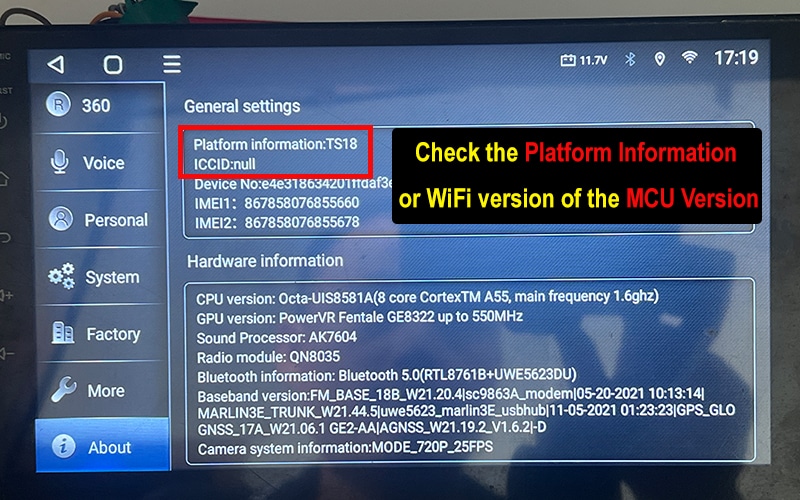
- Go to Settings → About
- Check System Info like Platform Information or MCU Version.
Factory Settings Tutorial
-
1. Enter the app screen.
-
2. Go to Settings → About
-
3. Check System Info like Platform Information or MCU Version.
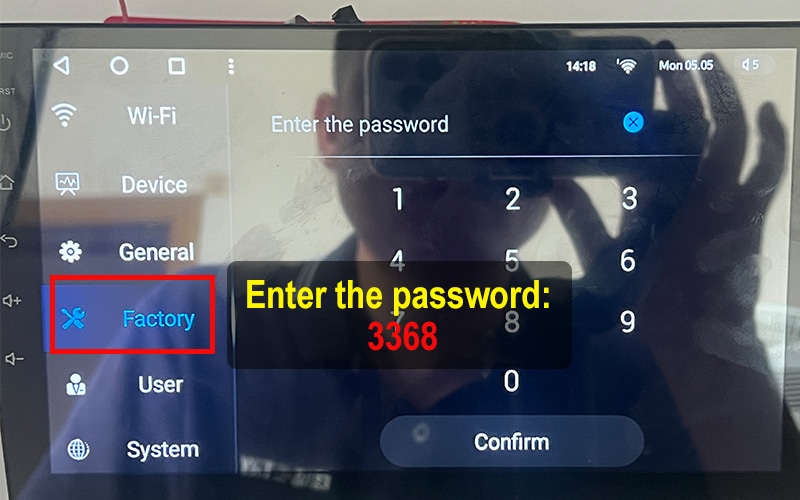
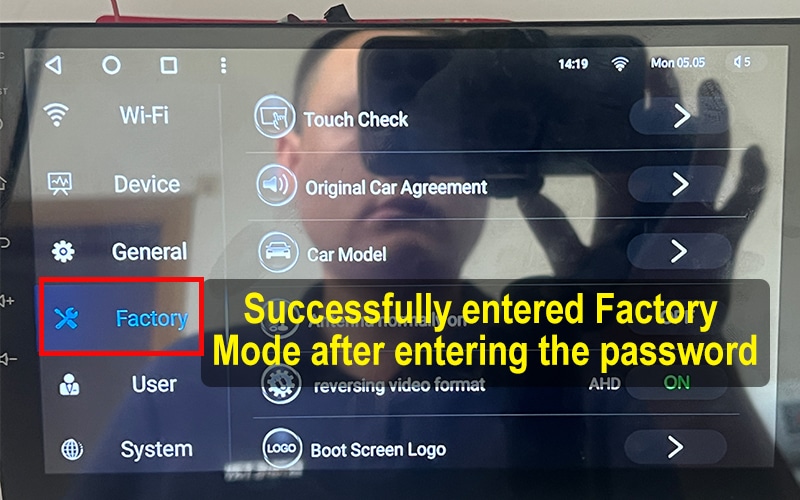
FYT Motherboard (Factory password: 3368)
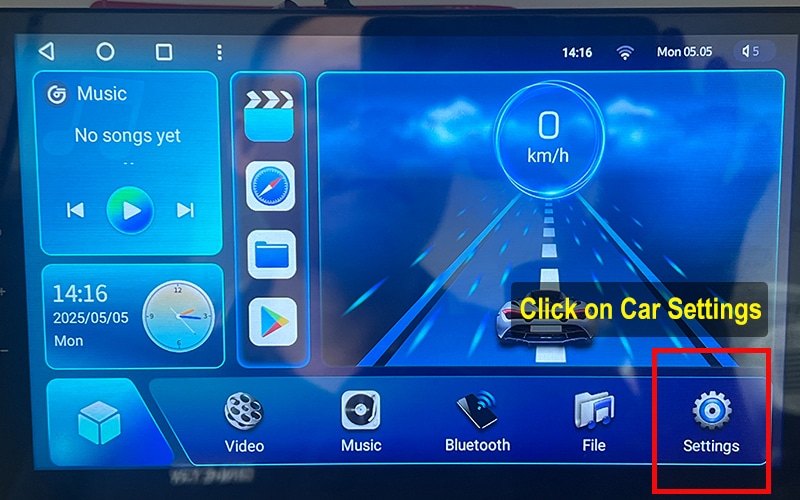
System Info Tutorial
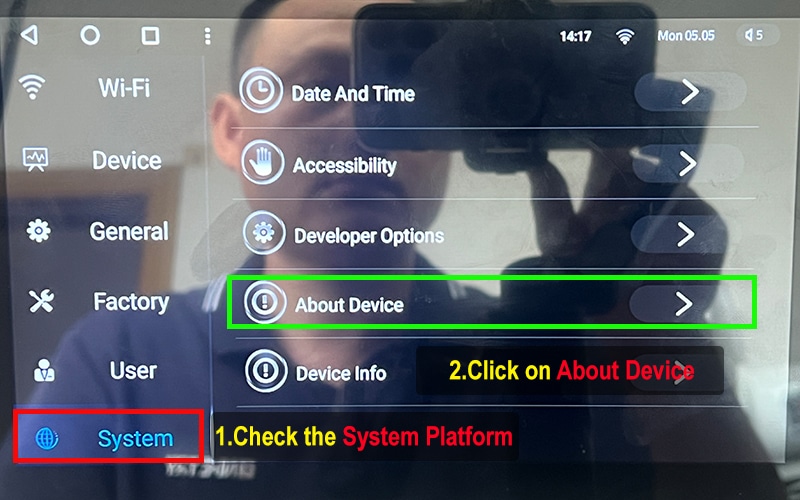
- Tap the car settings icon.
- Select "System" then tap "About Device".
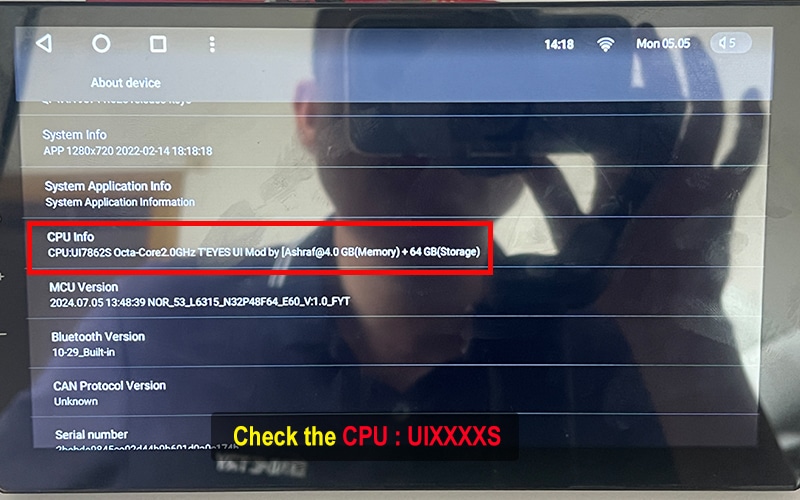
- Check CPU Info and confirm details like "UIXXXXS".
Factory Settings Tutorial
- Tap Factory and enter password: 3368
- Access the factory settings panel.
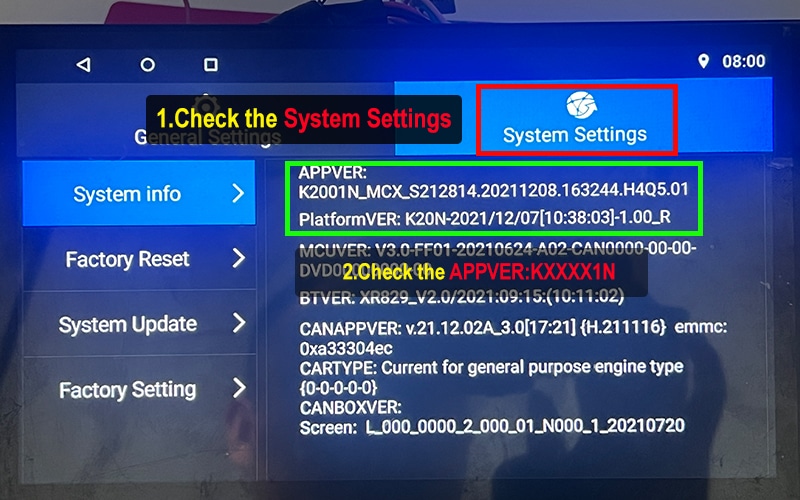
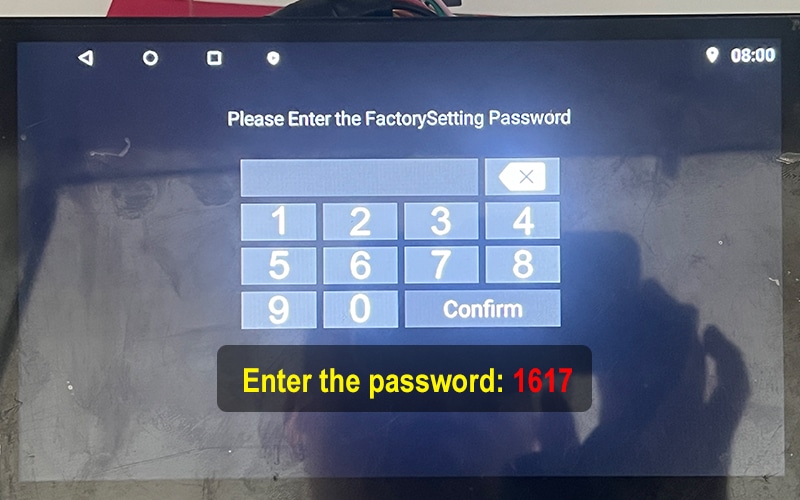
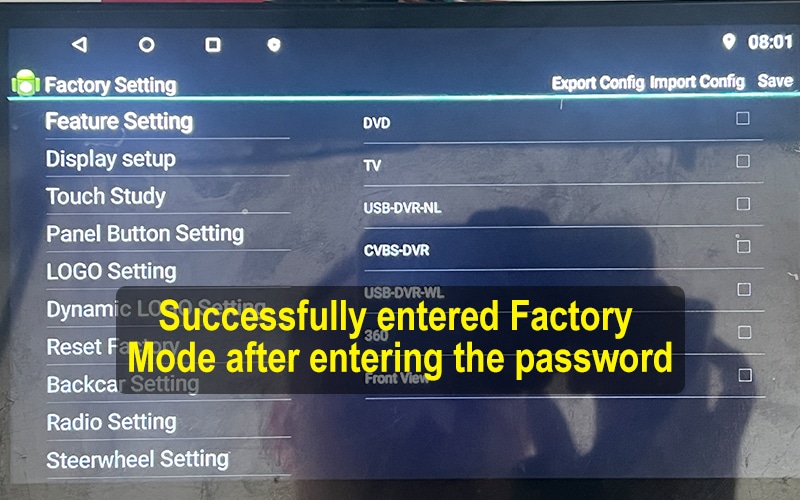
NWD Motherboard (Factory password: 1617)
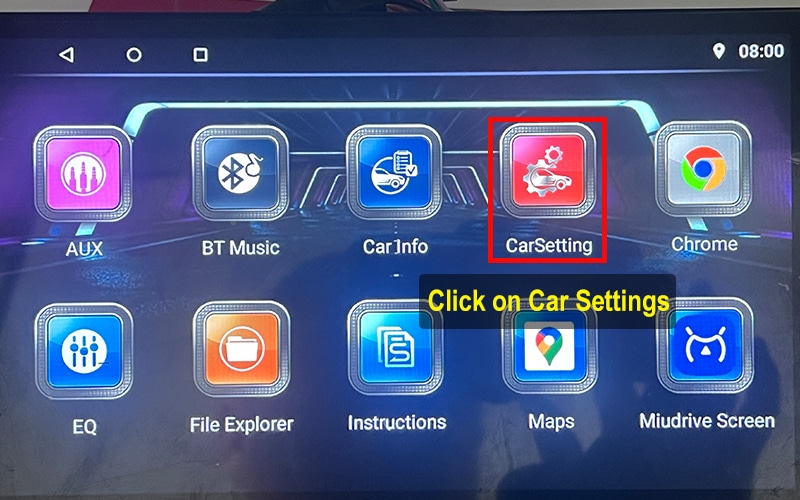
System Info Tutorial
- Tap the car settings icon.
- Select System Setting → AppVer: check for KXXXN string.
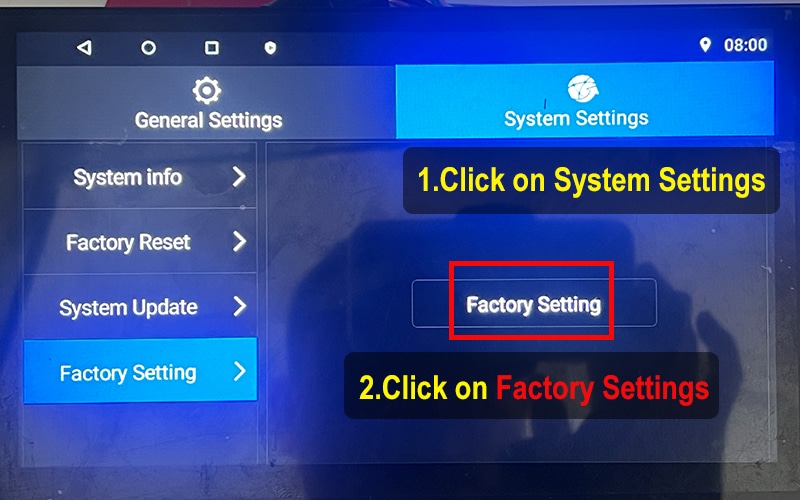
Factory Settings Tutorial
- Go to System Setting → Factory Setting, then tap again to enter password.
- Input 1617 to enter the settings menu.
- The Factory Settings page will appear if the password is correct.
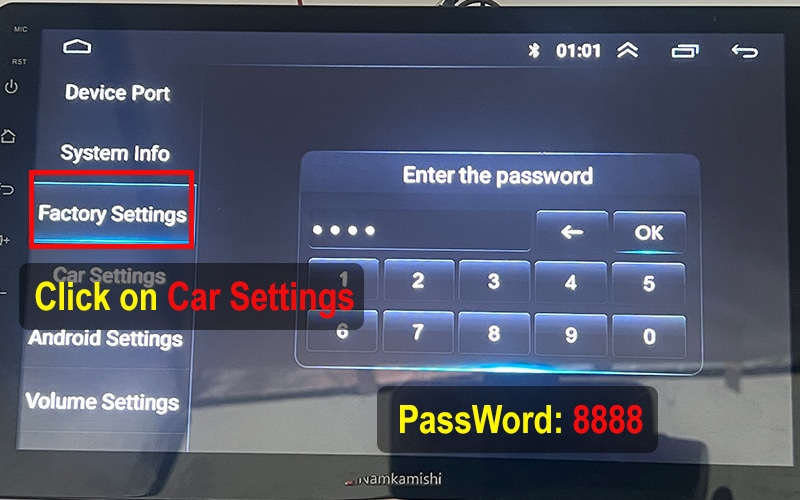
XY-AUTO Motherboard (Factory password: 8888)
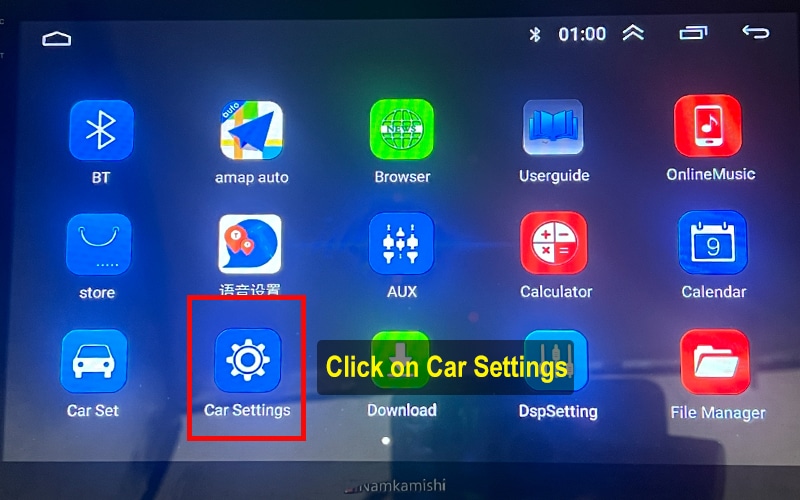
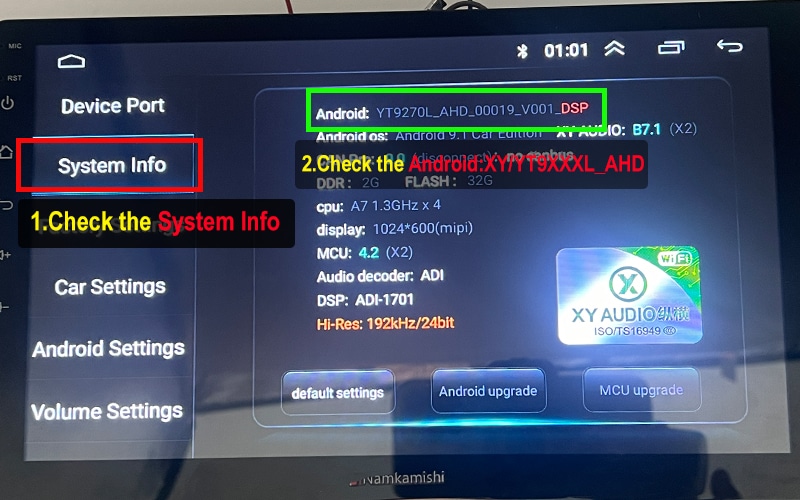
System Info Tutorial
- Tap the car settings icon.
- Tap "System Info" and check Android version.
Factory Settings Tutorial
- Tap Factory and enter password: 8888
- Access the factory settings panel.
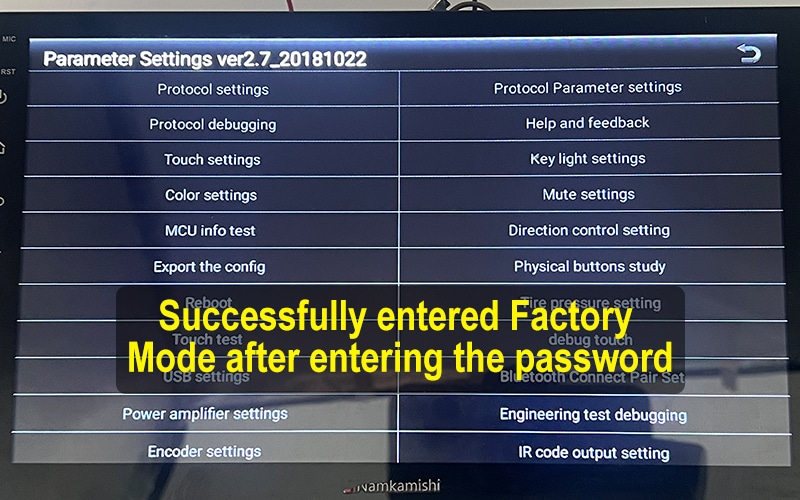
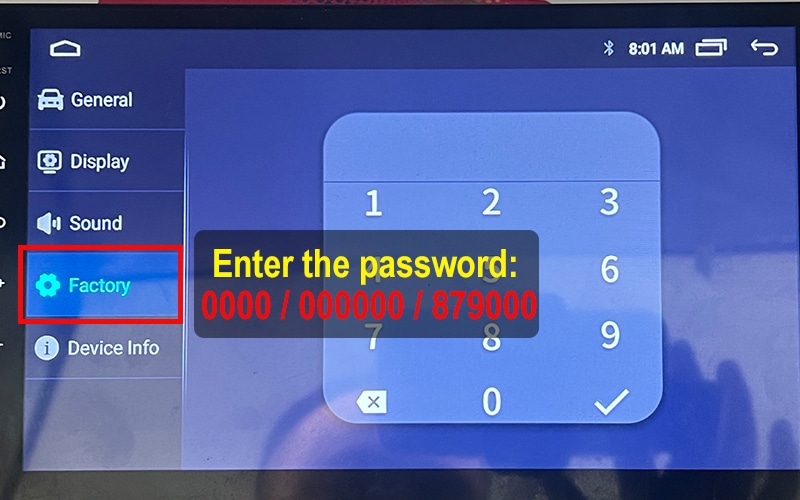
HC / MTK Motherboard (Factory password: 0000 / 000000 / 879000)
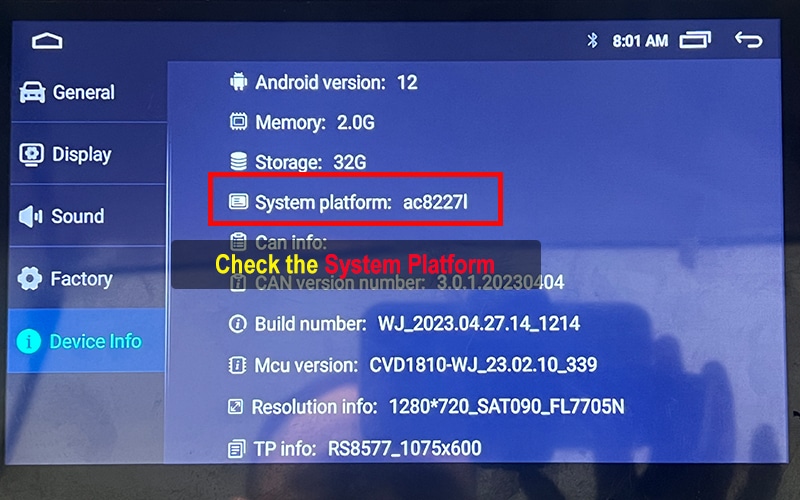
System Info Tutorial
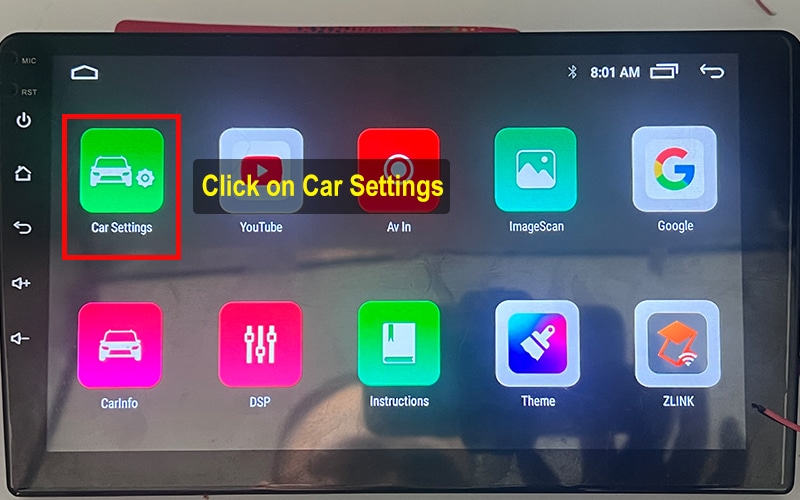
- Tap the car settings icon.
- Select About Device → Android: check for AC8XXXL/AC8XXX string.
Factory Settings Tutorial
- Go to Factory → input 0000 / 000000 / 879000 to enter settings.
- The Factory Settings page will appear if the password is correct.
More Tips for Android Car System Users
Whether you're using a Topway TS7, XY-AUTO 9216, FYT 7862, or any other Android-based car head unit, knowing your system version is the first step towards unlocking advanced upgrades like UI launcher themes, voice control apps, or 360-view car model activation.
FixMyDash offers firmware repair, activation of feature, and system upgrade services for a wide range of Android head units. Common motherboard models include TS10, TS18, TS7, T133, A100, 9212, 7862S, 8581, 9863, K2001N, and AC8227L.
By following our step-by-step tutorials, you can safely check Версія MCU, enter factory settings, and determine if your device is compatible with upgrades like Car Launcher Pro or Doufun Voice Assistant.
Need help with your Android car system upgrade? Contact us at FixMyDash — the remote upgrade and activation specialist for car Android UI systems.
2 коментарі до “How to Check Your Android Car System Version Before Upgrading”
ive been trying to get my download apk i have sent you picks of my system and havent got anything i dont use whats app and do not want it on my phone i do want my files i have a FYT Motherboard
hi,cheack your email.