

















Fixing and Cleaning Your Car’s Touchscreen: The Complete 2025 Repair & Maintenance Guide
Is your car’s touchscreen starting to glitch, lag, or go completely unresponsive? Whether you’re struggling with greasy fingerprints, cracked glass, or ghost touches, you’re not alone.
Need a new head unit or want to upgrade?
Shop high-end Android car head units at Ikagoo
or find budget models at CarMP5.com.
- Why the Touchscreen Is the Heart of the Modern Dashboard
- Common Touchscreen Failures and How to Diagnose Them
- Software vs Hardware Issues: How to Tell the Difference
- How to Replace Your Android Car Stereo Touchscreen: A Step-by-Step Guide
- Aftercare: Maintain Your New Touchscreen Like a Pro
- Поширені запитання
- Why Choose FixMyDash ?
Why the Touchscreen Is the Heart of the Modern Dashboard
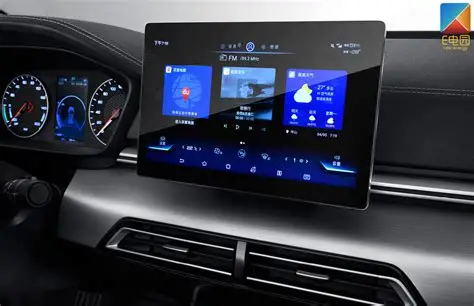
Modern vehicles—from premium brands like BMW, Mercedes, and Audi to mainstream models like Ford, Toyota, and Honda—are increasingly reliant on central touchscreens. These interfaces control not just media and navigation, but also air conditioning, system settings, rear camera feeds, and even vehicle diagnostics. When the touchscreen fails, you’re no longer just losing music—you’re losing full access to your vehicle’s digital interface.
Unlike the resistive screens used in early navigation systems, today’s units rely on capacitive multi-touch digitisers—similar to smartphones, but with different voltage tolerances and physical layouts. That also means they’re more sensitive to physical wear, moisture, cleaning chemicals, and high temperatures.
Common Touchscreen Failures and How to Diagnose Them
1. Unresponsive Touch
This is by far the most reported issue. You tap the screen—and nothing happens. Sometimes the whole panel is unresponsive; other times, only certain areas stop detecting input. This can result from:
- Physical damage to the digitiser layer
- Loose ribbon cable inside the unit
- Dirty or greasy screen interfering with sensitivity
- Software crash (UI layer freezing)
Diagnostic Tip: Try a hard reboot (hold power + volume down for 10 seconds). If reboot restores function, it’s likely a software hang. If not, hardware inspection is required.
2. Ghost Touch or Phantom Inputs
Have you seen your screen operate as if it’s being touched randomly—without anyone near it? This “ghost touch” problem is often caused by:
- Moisture trapped under the glass layer
- Separation between digitizer and LCD
- Electromagnetic interference from other components
- Overheated screens during summer parking
In severe cases, the unit may start calling contacts or changing music tracks on its own.
3. Cracked or Shattered Screens
A broken glass panel is often obvious—but even minor cracks can interrupt touch accuracy. Some hairline fractures don’t affect the display but make parts of the screen unresponsive or produce “dragging touch” effects.
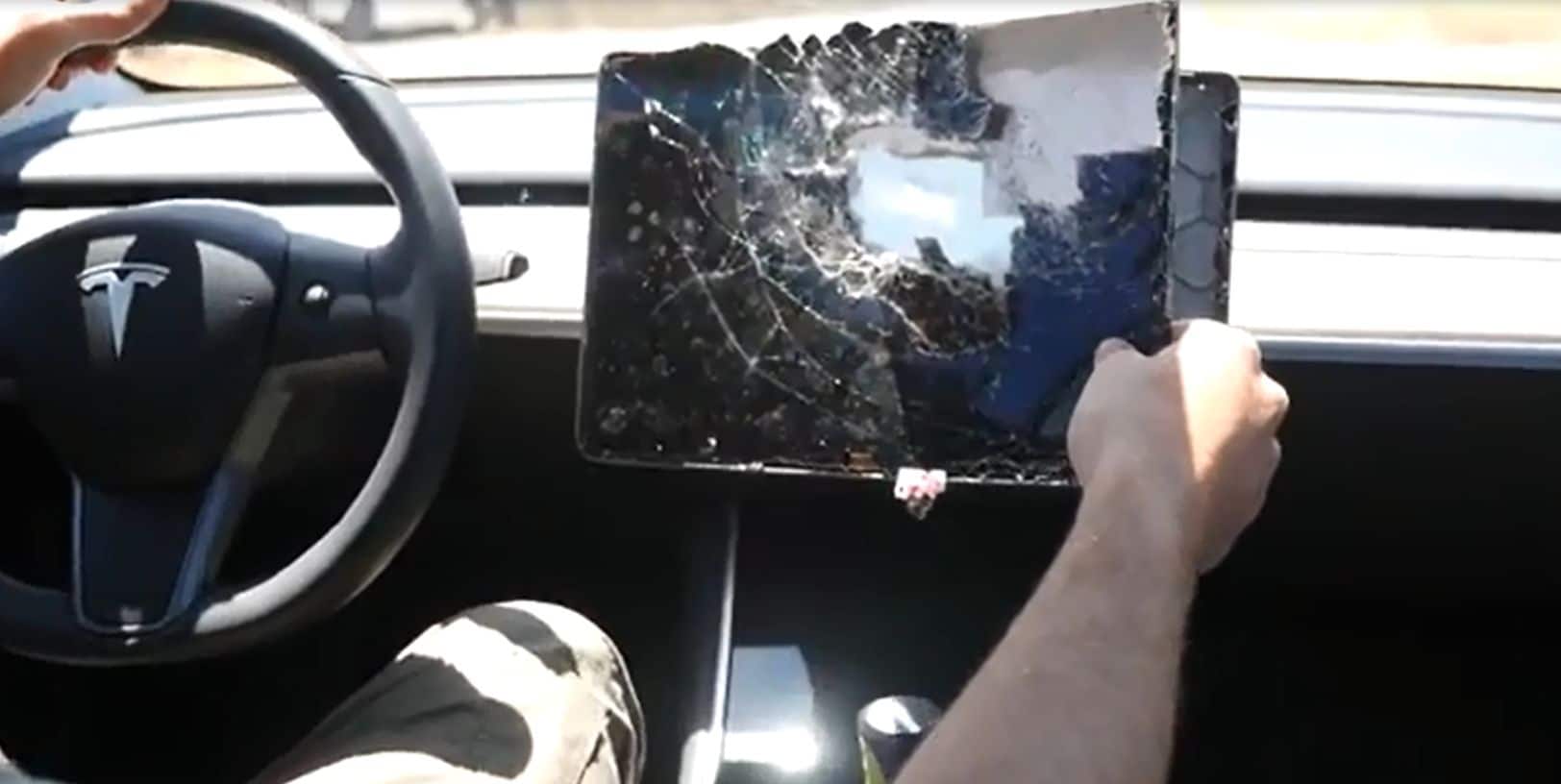
Important: Most car touchscreens are not bonded to the LCD—so you can replace just the top layer (digitizer) instead of the whole unit, saving hundreds of dollars.
4. Screen Flicker or Black Zones
If your screen flickers when driving over bumps or shows black patches, it may be a connector issue or LCD failure. But before declaring it dead, check:
- Are cables properly seated?
- Was the unit exposed to moisture or high humidity?
- Has the car been parked in direct sunlight for a long time?
5. Misaligned or Stuck Touch Zones
In this case, touch input registers—but in the wrong place. You tap “Music” and it opens “Settings”. This indicates either:
- A failed calibration layer
- A mismatch between digitiser and system firmware
- Improper screen replacement using the wrong touch panel
Recalibration is rarely an option on low-cost head units. Replacement is usually the fix.
Software vs Hardware Issues: How to Tell the Difference
- Does rebooting fix the issue temporarily? → Likely software.
- Does touch fail only after the car gets hot? → Heat-sensitive hardware or cable issue.
- Do the display and backlight still work? → Touch layer only, not LCD.
- Is your unit stuck on boot logo? → Firmware or NAND flash failure, not digitiser-related.
Hard Reset Instructions (General Android Head Units)
- Turn off the ignition completely
- Hold the Power button + Volume Down simultaneously for 10–15 seconds
- Unit should reboot; observe if touch returns temporarily
- If issue persists, proceed with physical inspection or replacement
Still Not Sure? Submit a Diagnosis Request
At FixMyDash, we offer free remote diagnosis for most Android units. Simply send us photos of your screen, describe the issue, and include the car model + head unit version.
📩 Завантажте фотографії та запросіть діагностикуHow to Replace Your Android Car Stereo Touchscreen: A Step-by-Step Guide
🧰 Інструменти та матеріали, які вам знадобляться
- Пластикові інструменти для піддягання (щоб уникнути подряпин на панелі приладів)
- Маленька хрестова викрутка Phillips
- Пінцет або спуджер для роз’ємів
- Фен або термопістолет (за потреби, для приклеєних екранів)
- Антистатичні рукавички або заземлювальний наручний ремінець (рекомендовано)
- Ваш новий змінний дигітайзер (підтверджено сумісний)
Якщо у вас немає набору інструментів, ви можете знайти універсальні набори для розбирання онлайн або через Ikagoo (преміум) or CarMP5.com (бюджетний).
📦 Який тип екрана ви замінюєте?
- Digitiser only: Скляний сенсорний шар (найпоширеніший)
- Digitiser + LCD combo: Дорожче; потрібно, якщо сам дисплей не працює або мерехтить
- Розмір екрана: 7″, 9″, 10.1″, 11.8″ або 13.3″
- Тип роз’єму: 6-pin, 10-pin або стрічка 12-pin
- Тип плати: FYT, Topway, YF Digital тощо.
🔧 Інструкції з заміни сенсорного екрана
- Вимкніть автомобіль і від’єднайте акумулятор автомобіля, щоб уникнути короткого замикання.
- Зніміть накладку панелі приладів пластиковими інструментами. Будьте обережні, щоб не пошкодити кліпси.
- Викрутіть головний пристрій Android (зазвичай закріплений 4 гвинтами).
- Disconnect all cables from the back (CANBUS, USB, GPS, power, RCA).
- Place the unit on a soft work surface. Remove the front casing or display bracket using a screwdriver.
- Identify the touchscreen ribbon connector (often a golden flat cable attached to the main board).
- Unlock the ZIF connector and remove the cable. Take your time—these are fragile!
- Gently remove the broken touchscreen. Якщо воно приклеєне, прогрійте краї феном протягом 30 секунд.
- Вирівняйте та встановіть новий дигітайзер. Make sure it sits perfectly flush with the bezel.
- Reconnect the ribbon, lock the connector, and test the screen before full reassembly.
- Reassemble the head unit and reinsert it into the dash.
- Reconnect your battery, power on, and confirm full touch functionality.
Aftercare: Maintain Your New Touchscreen Like a Pro
- Apply a screen protector: Use anti-glare or tempered glass protectors to resist scratches and reduce smudging.
- Park smart: Avoid direct sunlight when possible. Use windscreen shades in hot climates.
- Keep microfibre cloths in your car: Clean the screen weekly with dry or lightly damp cloths.
- Avoid sharp objects: Fingernails, styluses, or car keys can permanently damage the digitiser.
- Не распыляйте жидкости прямо на экран: Всегда наносите чистящую жидкость на ткань — не на экран.
- Проверьте обновления прошивки: Некоторые проблемы с ложными касаниями решаются обновлением ОС вашего устройства.
Поширені запитання
1. Могу ли я заменить только сенсорный экран, а не весь блок?
Yes, if the LCD and board are functional. You can replace just the digitiser layer.
2. What’s the difference between a digitiser and an LCD?
The digitiser is the touch-sensitive glass layer; the LCD shows images. Most users only need a new digitiser.
3. Какой размер у моего сенсорного экрана?
Измерьте диагональ видимой области экрана, не включая рамку. К распространённым размерам относятся 7”, 10.1” и 11.8”.
4. Все ли экраны Android используют один и тот же разъём?
Нет. Разъёмы различаются в зависимости от типа платы и количества контактов (6, 10, 12 и т. д.). Всегда уточняйте перед заказом.
5. Могу ли я чистить экран спиртовыми салфетками?
No. Alcohol degrades the capacitive coating. Use screen-safe fluid and microfibre only.
6. Как я узнаю, совместим ли мой экран?
Проверьте наклейку на экране, ленточный разъём или отправьте фотографии в службу поддержки FixMyDash для помощи.
7. What causes ghost touches?
Heat, moisture under the screen, or digitiser-LCD separation. Can often be fixed with cleaning, sometimes requires replacement.
8. Do you offer international shipping?
Yes. We ship to the US, Canada, UK, EU, Australia, and most of Asia with tracking and warranty.
9. Can I upgrade my 10.1” screen to 11.8”?
Only if your dashboard and head unit support the size. Some models offer larger bezels with the same internal board.
10. What’s the average lifespan of a car touchscreen?
With proper maintenance, 3–5 years is common. Excessive heat or abuse can reduce this dramatically.
Why Choose FixMyDash ?
- ✅ 100+ touchscreen models in stock
- ✅ Free compatibility checks—send photos or car info
- ✅ Worldwide tracked shipping
- ✅ 24-hour technical support response
- ✅ Trusted by thousands of customers globally
